

Enterprise access control is changing quickly.
Organizations want entry methods that are secure, convenient, and easier to manage than traditional badges. Mobile credentials can deliver real operational benefits, including faster provisioning, reduced re-badging costs, and stronger security options at the door.
That said, moving access to phones introduces real-world complexity. You have to protect credentials, account for many device types, integrate with existing systems, and drive user adoption without disrupting daily operations. The guidance below outlines five practical tips to help you capture the benefits of mobile access while reducing operational and security risk.
Note: This is a high-level overview. Every site has unique requirements, policies, and constraints. Work with your security team and qualified implementation partners to tailor a deployment plan, configuration standards, and rollout timeline.
Key takeaways
-
Start with a site readiness assessment so your rollout is scalable and compatible with existing infrastructure.
-
Require strong authentication so mobile access improves security rather than simply replacing a card with a phone.
-
Centralize monitoring and administration by integrating mobile access into the broader physical security ecosystem.
5 BIG Mobile Credential Considerations from Our Friends at Gallagher Security...
Confirm mobile access is right for your environment
Before issuing a single mobile credential, define where mobile access makes sense and where it does not.
Some facilities require visible ID badges, restrict phone use, or have workflow realities that make mobile-only access impractical. A readiness assessment should include:
-
Doors and areas to be migrated, including sensitive zones and after-hours access paths
-
User populations and roles, such as employees, contractors, vendors, and visitors
-
Policy constraints, including phone restrictions, PPE requirements, and union or HR considerations
-
Operational needs, such as muster, time and attendance, or visitor management
This upfront work prevents surprises later and helps you decide whether you are deploying mobile access everywhere, in phases, or only for specific groups.
Treat credential security and authentication as non-negotiable
Mobile access should raise your security posture, not just change the form factor.
Build your standard around strong credential protection and authentication at the door:
-
Use secure credential storage and modern cryptography designed for mobile credentials
-
Establish clear rules for lost devices, device replacement, and credential revocation
-
For higher-risk openings, require multi-factor authentication (for example, phone credential plus biometrics or another factor)
A well-designed approach allows you to revoke or update credentials quickly and reduce exposure from lost, shared, or duplicated credentials.
Integrate mobile access into the rest of the security ecosystem
Mobile access performs best when it is not a standalone tool.
Plan integration with the platforms and systems you already rely on, such as:
-
Access control administration and auditing
-
Video surveillance for verification and investigations
-
Intrusion and perimeter systems for coordinated response
-
Building and tenant systems where appropriate
Centralized administration and event visibility improves accountability, accelerates incident response, and simplifies compliance reporting. It also reduces the chance that teams manage access in one place and investigations in another.
Design your rollout around user adoption, not just technology
A technically strong system can still fail if users do not understand it or do not trust it.
Focus on a rollout plan that removes friction:
-
Provide short, clear onboarding instructions tailored to each user group
-
Define what users should do when a phone is dead, forgotten, or replaced
-
Publish a simple troubleshooting guide for common issues
-
Train frontline staff who will support users during the first few weeks
When onboarding is smooth and support is predictable, you reduce helpdesk load, minimize workarounds, and improve compliance.
Maintain and update continuously to stay ahead of risk
Mobile access is software-driven, and that is both a strength and a responsibility.
Establish a routine for:
-
Platform updates and security patches
-
Configuration reviews, including authentication requirements and door policies
-
Periodic audits of users, roles, and exceptions
-
Monitoring for unusual access patterns or repeated failed authentication events
Ongoing maintenance helps you stay resilient against evolving threats and keeps integrations stable as other systems change over time.
Make mobile access simpler by planning for the hard parts
Mobile access control can reduce administrative overhead and improve security, but only when it is deployed with a clear plan, strong authentication, tight integration, and user-focused training.
If you are considering a rollout, start with a site assessment and a phased plan. Align stakeholders early, document standards, and treat adoption and maintenance as core requirements, not afterthoughts.
Learn more about your mobile credential options
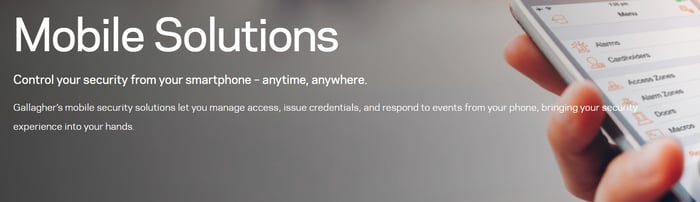
Get the Mobile Solutions brochure
Contact our team for system design assistance >>